ManimGL
Make Mathematical Relationships Visible
Control shapes, formulas and timing in Python; check the mathematics and a draft render before exporting video and stills.
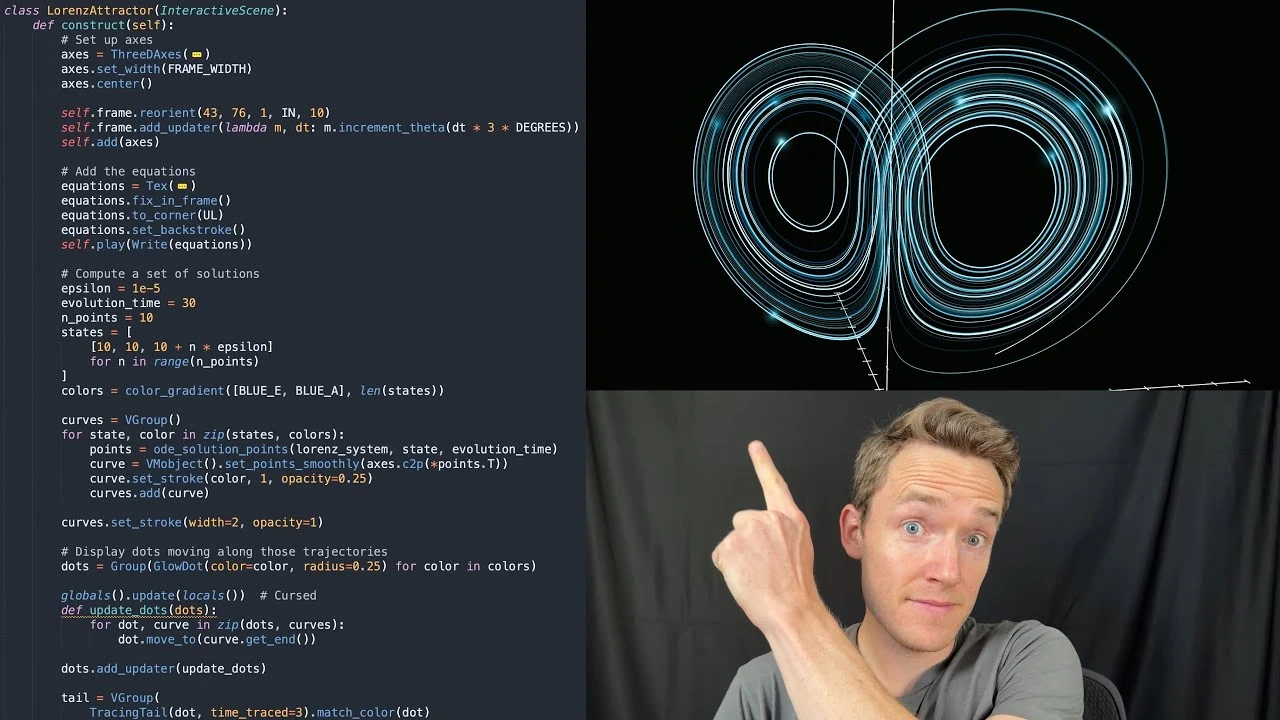
Manim animation walkthrough
View example source- GitHub stars
- 95,895
- Version
- 1.7.2
- Checked
- Categories
- Design & VideoEngineering
Start with a small scene that needs no LaTeX.
Verify graphics, fonts and FFmpeg first, then add formulas. The first-use route pins the published manimgl 1.7.2 package so development-branch and other Manim instructions do not get mixed together.
Pick a task and get started
Commands below use macOS/Linux paths and assume Python 3.11 and the native requirements are ready. On Windows, create the environment with your Python 3.11 command and replace .manimgl-venv/bin/python with .manimgl-venv\Scripts\python.exe. Run each task from the same exercise folder.
Use a 30-second scene without LaTeX to connect coordinate changes with preserved area.
Install a pinned engine in the exercise folder
Run in a dedicated exercise folder with an unused environment path. This uses the author’s pip route and pins the published release; it does not clone current master or install system FFmpeg, graphics drivers, fonts or LaTeX.
Read the author’s setup guidepython3.11 -m venv .manimgl-venv .manimgl-venv/bin/python -m pip install "manimgl==1.7.2"Check the version and create project settings
Install only after confirming that the destination environment does not exist; inspect an existing environment before reusing it. Run .manimgl-venv/bin/python -m pip show manimgl and ffmpeg -version, recording their versions. Create manim-settings.yml with at least camera: fps: 30 (an unquoted integer). Keep output, font choices and mathematical inputs in the project rather than editing the installed defaults. Render a simple Circle/Rectangle scene first; resolve graphics-context or native-library failures before expanding it.
Pinned command and configuration implementationGive your AI this first task
These are editorial exercises and acceptance targets, not author artworks or films rendered by this site. Replace names and mathematical inputs as needed. Do not report planned commands or files as completed work.
Use the installed ManimGL 1.7.2 to make a roughly 30-second planar-shear explanation. Check this page’s virtual environment, FFmpeg and graphics support first. Do not install another Manim branch. Import from manimlib and create ShearLesson(Scene) in scenes.py. Use matrix [[1,1],[0,1]] with column vectors. Start with e1=(1,0), e2=(0,1) and the unit square. Show e1 staying fixed and e2 moving to (1,1), then use (1,1)→(2,1) and determinant 1 to explain changed position with unchanged area. Verify these relationships and propose three timed beats first. Use ordinary Text with an installed font; render the matrix as plain text. Avoid Tex, numerical axis labels and components that implicitly require LaTeX. Keep a stationary reference grid and transform the moving grid, basis vectors and square together. Keep explanatory text outside that transform. Add enough pauses to read the correspondence. Set camera.fps to integer 30 in manim-settings.yml. Write a draft: .manimgl-venv/bin/python -m manimlib scenes.py ShearLesson -wl --config_file manim-settings.yml --video_dir output --file_name shear-preview Play output/shear-preview.mp4 and inspect the start, middle and end for vector direction, area, labels, clipping and pacing. After corrections, replace -wl with -w --hd and the filename with shear-final. Then use -sw --hd and filename shear-final to export the final PNG. Do not use -o to launch the output automatically. Deliver source, settings, storyboard, both actual videos, the final still and checks, including real dimensions, frame rate and duration. If the graphics environment or render fails, state the completed stage. Source code alone is not a finished film.
Check what you receive
- scenes.py and manim-settings.yml with mathematical conventions and timed beats.
- A draft, corrected 1080p film and final PNG, only when actually rendered.
- Checks of basis vectors, the test point, area, glyphs, framing and duration.
More about this skill
ManimGL turns an explanation into controllable objects and actions. Put geometry, text or formulas inside Scene.construct(), then use self.play and wait to arrange changes and pauses. The source retains relationships, colours and timing for later edits. It supports geometric transformations, functions, derivations and 3D scenes; this page focuses on a planar explanation, equation matching and reviewing an existing scene.
Install manimgl, import manimlib and invoke manimgl. Manim Community is maintained separately, with different packaging, APIs and some flags. This repository has no standard SKILL.md, so it does not belong in an agent skill directory. A coding assistant that can edit Python, run local tools and inspect outputs can use the engine directly.
We checked both the published package and current development code. The latest PyPI release remains 1.7.2, published in December 2024, while master has changed some rendering dependencies. Commands below target the published package. Source links pin the v1.7.2 commit, and the configuration, file writer and transform code used here were compared with the package. Installing development code is a separate route.
Sources and verification
Sources checked
Checked the pinned release source, PyPI metadata and the relevant code against the published archive, with a separate check of development dependency changes. No third-party engine or film generation was run.