IP as Logo
Three directions, six separate images
Turn a product personality into a simple, rounded mascot: propose three directions, then generate separate square candidates.
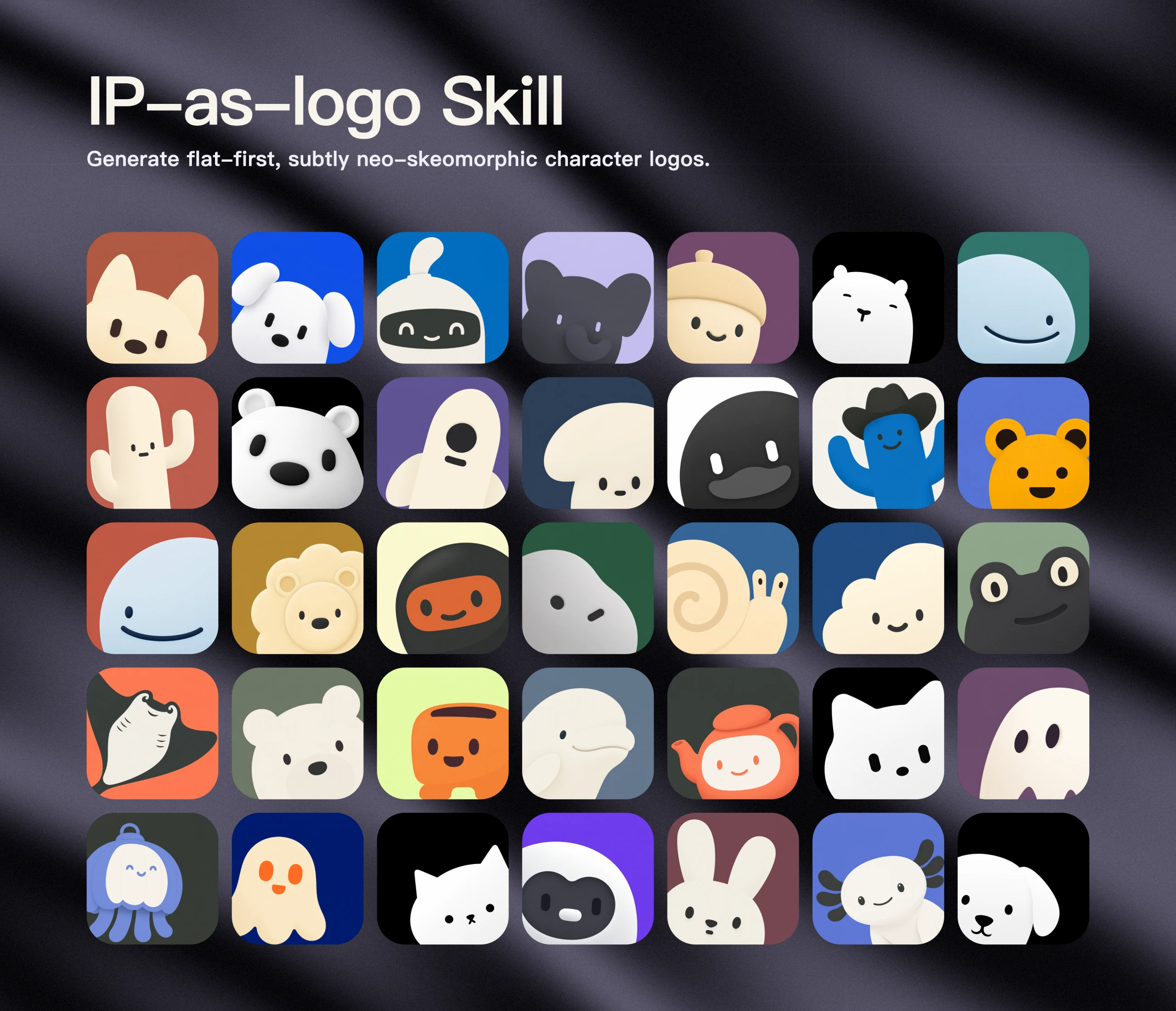 Open original image
Five rows include animals, ghosts, robots and objects, showing broad silhouettes, simple faces and color masses. Some are centered or emerge from the right; the wall is not proof that each example meets the current lower-left default.
Author originalOriginal image from s1dashu’s repository, reproduced unchanged under its MIT license. It is not a result generated here. Rounded cards belong to the showcase layout; they are not frames to request from the model or a substitute for six separate originals.
Where it runs
- Agent Skills-compatible assistants
- Hosts with an image-generation tool
- GitHub stars
- 6,286
- Checked
- Categories
- Design & Video
Connect the character to the product first
Useful when a product has no mascot yet, or when a chosen subject needs a few simpler treatments. A short brief makes the three directions meaningful before spending image credits on comparable candidates.
Pick a task and get started
Install the skill and confirm image access. For a first run, choose “Find a mascot,” send the brief, review the directions and explicitly approve the image count.
Start without a subject: use three product-based animal proposals to narrow the choice before generation.
Install the design instructions
The author’s command discovers the root SKILL.md and installs the complete skill directory with its assets. Choose your assistant in the installer; add --global only for a personal cross-project installation. This installs instructions, not a model account or image credits.
Read the author’s setup guidenpx skills@latest add s1dashu/ip-as-logo-skillConfirm that your assistant can generate images
Run the installation command in a terminal with Node.js and npm/npx, then choose a supported assistant. In that assistant, confirm ip-as-logo is loaded and an image tool has access and credits. Supply the product purpose, audience, personality, and any chosen subject or background. The first task below returns three proposals. Reply “Approve all three: two images each, six total, all lower-left; generate them” to begin the image calls.
Author setup and usageGive your AI this first task
These are editorial usage examples based on the fixed source, not tested generations. “Keep a chosen subject” explicitly authorizes six images; the other tasks specify their own counts and approval conditions.
Use ip-as-logo for a student focus tool that helps people finish short study sessions. It should feel friendly, quiet and unhurried. No character is chosen yet. Propose three different familiar animals, one line each covering subject, product connection and defining silhouette. Propose two images per direction, six total, and wait for my approval. Use the lower-left composition, two character colors and one solid background. Generate separate square images and keep every result. Include labels, direction rationales, prompts, colors, saved paths and actual dimensions.
Check what you receive
- Before approval: three concise directions and a six-image allocation.
- After approval: six separate squares labeled A1, A2, B1, B2, C1 and C2, all lower-left by default.
- After delivery, compare silhouettes, expression and background separation at 32×32; explicitly request new images if needed.
More about this skill
IP as Logo is an Agent Skill by s1dashu for building a friendly character from a few large shapes. With no subject specified, it proposes three familiar animals grounded in the product, audience and intended personality. With a ghost, robot or other subject already chosen, it explores three treatments of that same subject.
Its visual recipe starts with a continuous, heavy, rounded silhouette: roughly 4–7 large shapes, at most one identifying feature, two character colors and one solid background. All default candidates emerge from the lower-left and dominate the square. Silhouette, expression, crop and color provide the variation. Recognition at 32×32 is a design goal that still needs checking.
Approve all three directions and the six-image proposal to get two candidates per direction. Choose one direction but keep six images to get six variants of that choice. Every candidate is generated separately. The author treats the batch as a creative draw: return everything unchanged, then let the user decide whether to request a fresh batch.
Sources and verification
Sources checked
Reviewed against commit 798d4e65 from October 30, 2026, including the complete README, SKILL, license and repository files. No installer or image model was run. No tags or releases were present at review time.